React+Nodejs+axiosで画像ファイルをアップロードする
Reactで開発をしているのですが、画像ファイルをNodejsサーバーにアップロードするにはどうするか。
結局は、Formを作成して、appendするのが一般的なようです(^^;
※これは「File upload with React & NodeJS」を参考にしました。
目次
ディレクトリ構成
今回はこんなディレクトリ構成にします。
dev
frontend —- React環境
backend —- Nodejs環境
images — 画像保存領域
フロント側(React)の構築
・React環境を構築します。
$ npx create-react-app frontend
・axiosをインストールします。
$ npm install axios –save
・App.jsを書き換えます。
import './App.css';
import React, { useState, useEffect  } from 'react';
import axios from 'axios';

function App() {
    const [image, setImage] = useState({ preview: '', data: '' })
    const [status, setStatus] = useState('')
    const handleSubmit = async (e) => {
        e.preventDefault();
        let formData = new FormData();
        try {
            formData.append('file1', image.data);
            const res = axios.post( 'http://localhost:5000/image', formData );
        } catch( error ) {
            setStatus( error )
        }
    }

    const handleFileChange = (e) => {
        const img = {
            preview: URL.createObjectURL(e.target.files[0]),
            data: e.target.files[0],
        }
        setImage(img)
    }

    return (
        <div className="App">
            <h1>Upload to server</h1>
            {image.preview && <img src={image.preview} width='100' height='100' />}
            <hr></hr>
            <form onSubmit={handleSubmit}>
                <input type='file' name='file' onChange={handleFileChange}></input>
                <button type='submit'>Submit</button>
            </form>
            {status && <h4>{status}</h4>}
        </div>
    );
}

export default App;
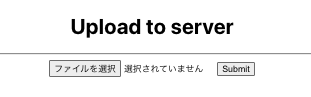
・起動します。
$ npm start
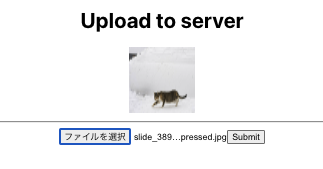
画像を選択するとこんな感じ。。
サーバー側(Nodejs)の構築
・サーバー環境を構築します。
$ npm install express cors multer
・app.jsを書き換えます。
const express = require('express')
const app = express()
const port = 5000
const cors = require('cors')
const multer = require('multer')

const storage = multer.diskStorage({
    destination: (req, file, cb) => {
        cb(null, 'images/')
    },
    filename: (req, file, cb) => {
        cb(null, file.originalname)
    },
})

const upload = multer({ storage: storage })

app.use(cors())

app.post('/image', upload.single('file1'), function (req, res) {
    console.log( "req.file.filename    :" + req.file.filename );
    console.log( "req.file.originalname:" + req.file.originalname );
    console.log( "req.file.mimetype    :" + req.file.mimetype );
    res.json({})
})

app.listen(port, () => {
  console.log(listening at http://localhost:${port})
})
・起動します。
$ node app.js
確認します
ファイルアップロードしてみてください(^^)